
Ective | September 26, 2026
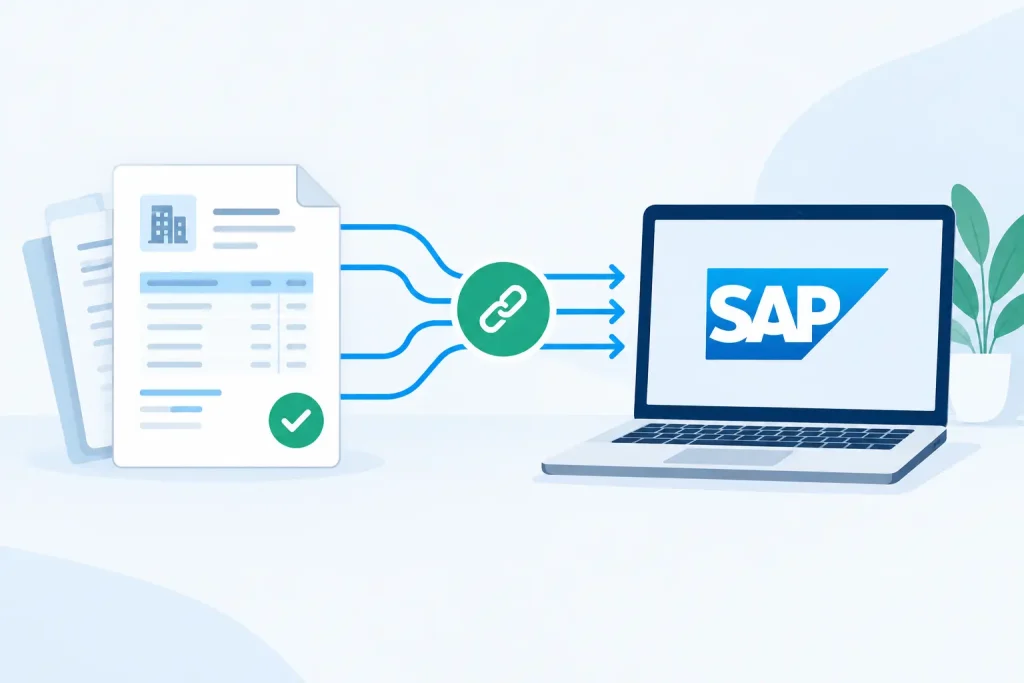
An invoice arrives as a PDF, email attachment, scan, or image. Accounts payable captures the header fields, looks up the supplier, checks the purchase order, and then enters or verifies the transaction in SAP. The real challenge is not simply to connect invoices to SAP. It is to make sure every value reaching SAP is complete, valid, traceable, and ready for the next process step.
A direct file transfer can move data quickly, but speed without validation creates a different bottleneck: blocked invoices, duplicate records, failed postings, and manual cleanup. A reliable invoice-to-SAP workflow combines document understanding, master-data checks, business rules, exception handling, and a controlled integration handoff.
Invoice formats are inconsistent by nature. A strategic supplier may send a structured PDF every month, while smaller vendors submit scans, emailed images, credit memos, or invoices in another language. Even a familiar supplier can change a layout without notice. Traditional template-based extraction struggles when fields move, totals are presented differently, or line items span multiple pages.
SAP adds another layer of required precision. Supplier IDs, company codes, purchase order numbers, cost centers, tax codes, currencies, payment terms, and general ledger accounts must align with the organization’s configuration and controls. An invoice number that is correctly read from a document is still not ready to post if the vendor does not exist, the PO is closed, or the total does not match the expected goods receipt.
This is why invoice automation projects can underperform. Teams focus on extracting text and leave validation, routing, and SAP error handling to downstream users. The result is a faster inbox, not a faster AP process.
The most effective design treats SAP as the system of record and the invoice platform as the controlled intake layer. Documents enter the workflow, data is extracted and validated, only exceptions require review, and approved records move to SAP using the appropriate integration method.
Start where invoices actually arrive: shared mailboxes, supplier portals, monitored folders, scanning queues, or automation platforms. The intake process should preserve the source document, receipt time, sender information where available, and a unique document reference. These details support auditability and make duplicate detection more reliable.
At this stage, do not force every invoice into one document type. The workflow should distinguish invoices, credit memos, statements, and supporting documents before data is sent forward. Incorrect classification is a common reason that valid data lands in the wrong SAP process.
The extraction layer needs to recognize more than printed text. It must identify invoice numbers, invoice dates, supplier names, currencies, taxes, totals, PO references, and line-item values in the context of the document. It also needs to handle decimal conventions, date formats, tables, handwriting where relevant, and multilingual invoices.
This is where configuration speed matters. If a new supplier layout requires a development request or a model-training project, AP remains dependent on technical resources for routine operational changes. Platforms such as EctiveXtract use natural-language workflow configuration, OCR, and Azure OpenAI-based document understanding so business teams can define the data they need without building a custom extraction model for every format.
Accuracy should be measured at the field level and in the context of the next decision. A correctly extracted invoice total is useful only when it agrees with the line totals, tax calculation, and the expected SAP transaction. High day-one recognition performance reduces review volume, but it does not eliminate the need for controls.
Validation is what turns extracted values into process-ready data. Before an invoice is created or posted in SAP, the workflow should compare key fields against supplier master data, open POs, company codes, currencies, and other approved reference data.
The exact rule set depends on the invoice scenario. PO-based invoices may require a two-way or three-way match. Non-PO invoices may require coding validation, cost center checks, and an approval route. Credit memos need their own treatment because totals and tax amounts can be negative and references may point to an earlier invoice.
A practical validation layer should check at least these conditions:
Not every mismatch should stop the process. A small freight variance may be acceptable within a defined threshold, while a missing PO number on a PO-required invoice should route to an exception queue. The value is in making these decisions explicit, consistent, and visible.
Manual review is not a failure of automation. Uncontrolled manual review is. AP teams need an exception workspace that shows the original invoice beside extracted values, validation results, confidence indicators, and relevant SAP or master-data context.
The reviewer should correct only what requires attention. For example, an unmatched vendor may be routed to a master-data owner, a price variance to the buyer, and missing coding to the requestor or budget owner. Sending every low-confidence field to a central AP queue slows cycle times and creates avoidable work.
Access rights also matter. A reviewer who can see invoices should not automatically have authority to change vendor data or post financial transactions. Keep document review, data correction, approval, and SAP posting permissions appropriately separated.
The right SAP handoff depends on the organization’s AP policy and system landscape. Some teams create parked documents for final review. Others automate invoice creation and allow SAP workflow or invoice management processes to handle approvals. PO-based invoices may move through established matching and payment controls before posting.
Integration can use APIs, SAP-supported interfaces, middleware, RPA where an API is unavailable, or an enterprise automation platform already in place. The best choice is not always the newest option. A secure, monitored connection that fits existing architecture is usually more valuable than a technically elegant integration that IT cannot support at scale.
The integration should return a SAP document number, status, and error message to the invoice workflow. Without that response loop, AP cannot tell whether an invoice was accepted, parked, blocked, rejected, or duplicated. The source document and its extracted data should remain associated with the SAP record for audit and retrieval purposes.
Straight-through processing is a useful outcome, but it should not be the only design goal. A workflow that automatically processes 70% of invoices while giving users a fast, governed path for the remaining 30% can outperform a brittle system that attempts to automate everything and fails unpredictably.
Begin by identifying the invoice categories that create the most volume or effort. PO invoices from recurring suppliers are often a strong starting point because supplier data and matching rules are already established. Non-PO invoices, international suppliers, and complex service invoices may need additional rule design before they are candidates for high automation.
Track more than extraction accuracy. AP and IT should monitor first-pass match rate, exception reasons, average review time, SAP posting failures, duplicate prevention, and the percentage of invoices processed without rekeying. These metrics show whether the workflow is reducing operational work or merely moving it between systems.
Invoice data includes bank details, tax information, pricing, and supplier records. The architecture must match the organization’s security requirements, data residency policies, and SAP connectivity model. Managed cloud hosting may be appropriate for some teams, while hybrid deployment or customer-controlled on-premises storage may be required for sensitive environments.
Do not accept a lengthy implementation as the price of control. A focused workflow can be configured, connected, and tested quickly when the platform supports prompt-based extraction, reusable validation rules, APIs, and clear role management. The objective is not to replace every AP process at once. It is to establish a production path that proves data quality and can expand without a long retraining cycle.
The strongest invoice automation programs make SAP data better at the point of entry. Start with the invoices that consume the most time, define the validation decisions that protect finance, and give exception owners a faster way to act. That is how invoice processing becomes a controlled operational flow rather than another queue waiting to be keyed in.